Instant Script Execution
Zero-latency Lua injection with our optimized execution engine. Scripts run the moment you press Execute — no delays, no freezes.
Execute any Lua script in Roblox instantly across PC, Mac, Android, and iOS. Bytebreaker Executor is 100% free, bypass-protected, and ships with a built-in hub of 500+ scripts — no login, no payment, ever.
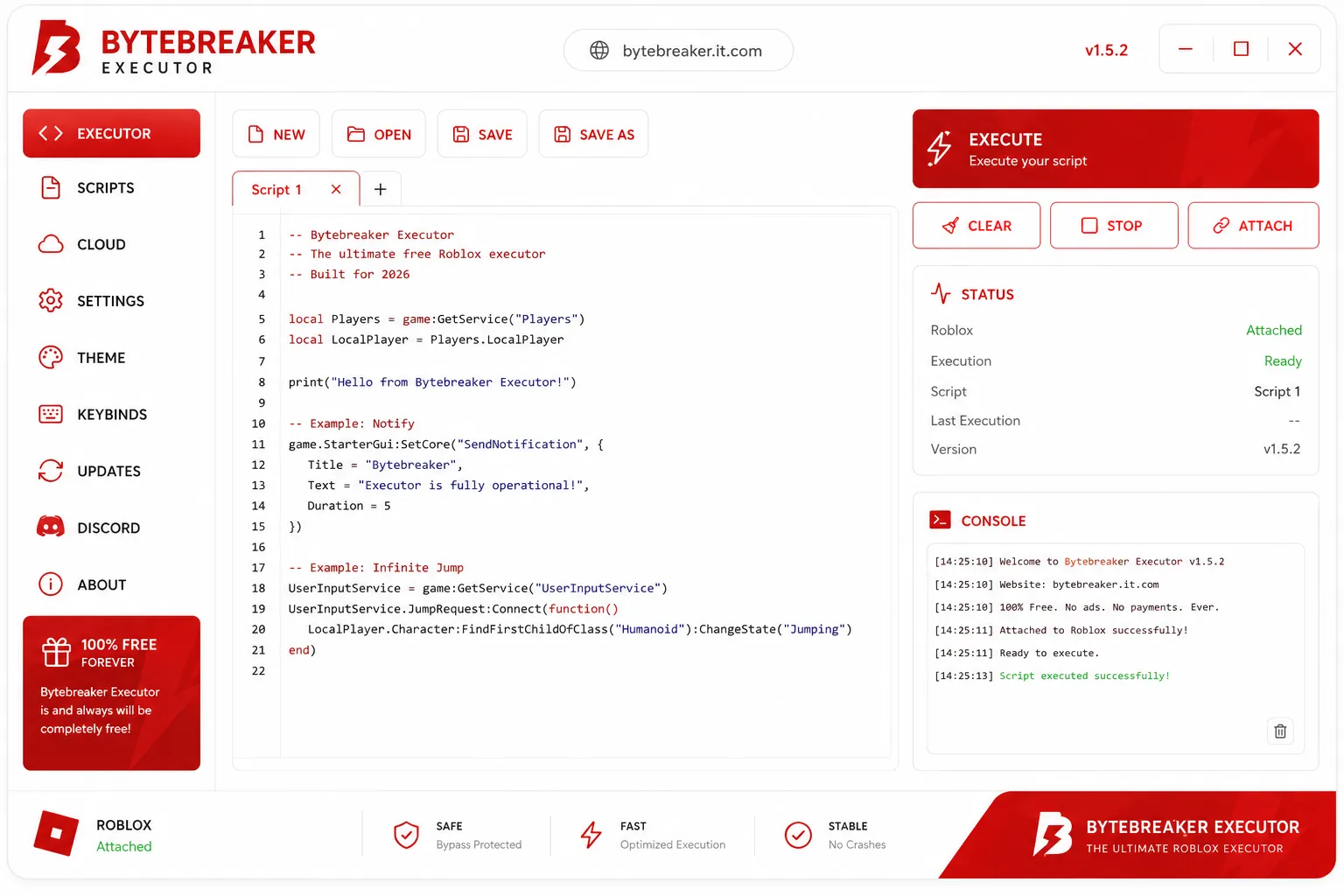
Built from scratch for speed, stability, and zero cost to the user. Bytebreaker Roblox executor delivers professional-grade scripting tools completely free.
Zero-latency Lua injection with our optimized execution engine. Scripts run the moment you press Execute — no delays, no freezes.
Actively maintained anti-detection layer that bypasses Hyperion, EAC, and custom anti-cheats. Updated within 24 hours of every Roblox patch.
Save scripts to the cloud and sync across sessions and devices. Your library is always available, never lost — even after updates.
Curated library of ready-to-run scripts across 6 categories. New additions weekly from the Bytebreaker community of 25,000+ users.
Bytebreaker Executor runs on Windows, macOS, Android, and iOS. Same powerful features on every platform — your scripts go wherever you go.
Bytebreaker updates itself automatically to prevent version mismatch errors. Always compatible with the latest Roblox client — no manual action needed.
Bytebreaker supports the full Lua 5.1 environment and is compatible with every major Roblox game. Run any script, any time, on any platform.
Complete Lua 5.1+ runtime with all standard libraries. Loadstring, pcall, coroutine, and more — all supported natively.
Works with all popular Roblox titles including Blox Fruits, Arsenal, Pet Simulator, Brookhaven, and 10,000+ more.
Load .lua, .txt, and raw paste scripts. Support for obfuscated and encoded scripts with built-in deobfuscation.
Load custom modules and DLLs for extended functionality. Bytebreaker exploit engine handles complex multi-file scripts seamlessly.
Our bypass layer is actively maintained and updated within 24 hours of any anti-cheat update.
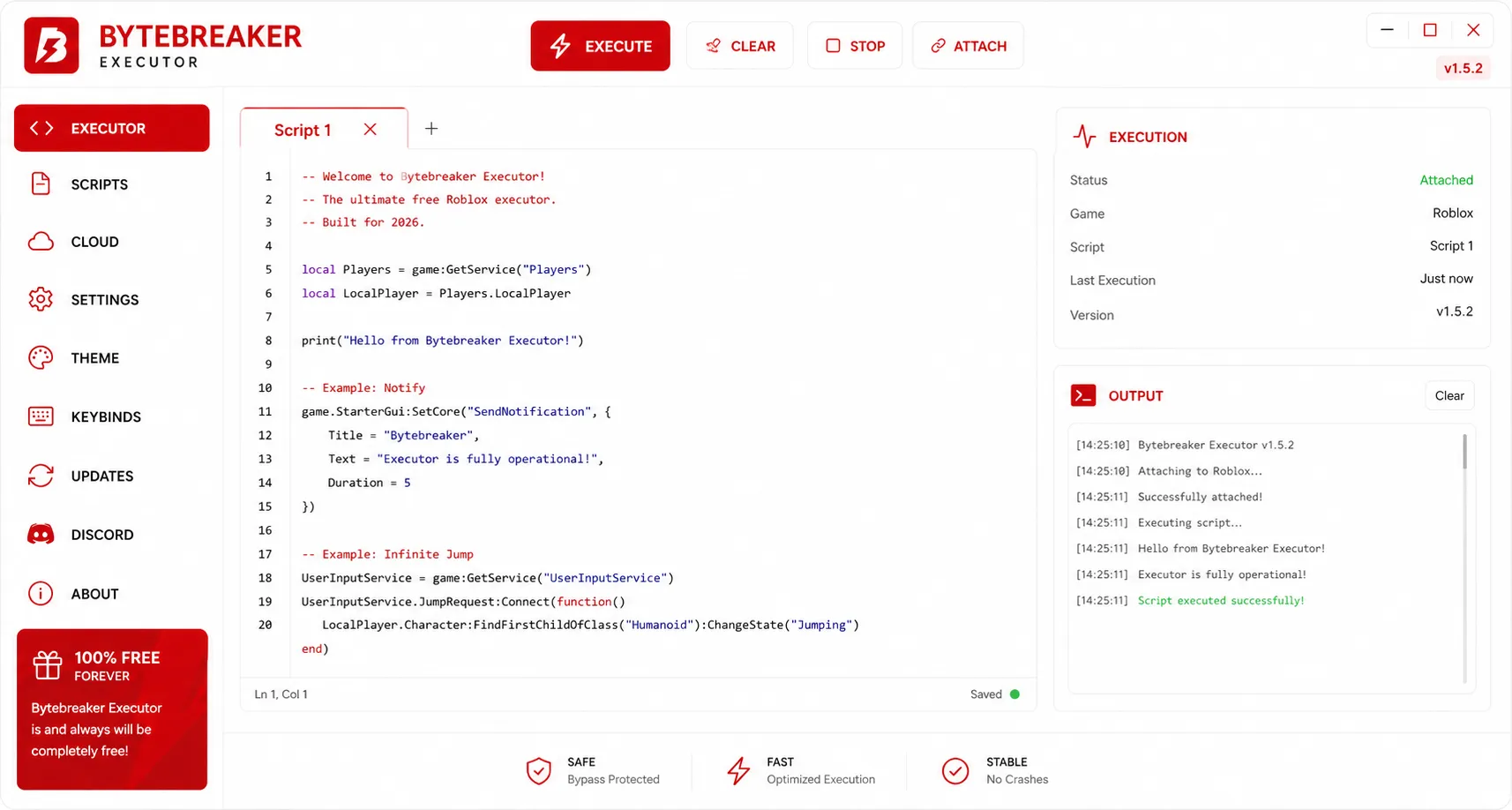
The built-in editor isn't an afterthought. It ships with syntax highlighting, multi-tab support, and a live output console — so you can write, test, and debug without leaving Bytebreaker.
Browse by category, preview scripts, and execute instantly. New scripts added weekly by the Bytebreaker community.
Follow our step-by-step guides for your device. Bytebreaker Executor download and setup takes under 2 minutes on any platform.
Click the download button to get Bytebreaker-Executor-v2.exe (12.4 MB). The file is a portable executable — no installer needed. Save it anywhere on your PC.
Windows Defender or your antivirus may flag the executor as suspicious (false positive). Add Bytebreaker to your exclusions or temporarily disable real-time protection. Don't worry — the file is verified clean on VirusTotal.
Launch Bytebreaker-Executor-v2.exe, then open any Roblox game. Click Attach in Bytebreaker — the status bar will show "Attached" in under 2 seconds.
Write your own Lua code or pick from the 500+ Script Hub. Press Execute and watch the magic happen in the console. That's it — you're running scripts!
Download the Bytebreaker-v2.apk file (18.2 MB) directly from our website. The APK is signed and verified — safe to install.
Go to Settings → Security → Install unknown apps and allow your browser to install APKs. This is required for all third-party Android apps.
Tap the downloaded APK to install. Once installed, open Bytebreaker and then launch Roblox from the app — Bytebreaker will auto-detect the Roblox process.
Tap Attach in Bytebreaker, wait for the green status, then browse Script Hub or paste your Lua script. Tap Execute to run it instantly on mobile.
Download Bytebreaker-v2.dmg (15.8 MB). Works on both Intel and Apple Silicon (M1/M2/M3) Macs natively.
macOS may block the app since it's not from the App Store. Right-click the app → Open → click Open again in the dialog. Alternatively, run xattr -cr /Applications/Bytebreaker.app in Terminal.
Make sure Roblox is installed and running. Open Bytebreaker, launch a Roblox game, then click Attach. The executor will inject into the Roblox process within seconds.
Use the built-in IDE or Script Hub to run any Lua script. Bytebreaker on Mac has the exact same feature set as the Windows version — no compromises.
Bytebreaker for iOS is distributed via Sidestore (no jailbreak required). Download the .ipa file from our website or install directly via the Sidestore app.
If you don't have Sidestore, install it first from sidestore.io. Connect your Apple ID, and Sidestore will allow you to sideload IPA files for 7 days (renewable).
Open Sidestore, tap the + button, select the Bytebreaker .ipa file, and tap Install. Wait for the installation to complete — usually under 30 seconds.
Go to Settings → General → VPN & Device Management and trust your Apple ID certificate. Open Bytebreaker, launch Roblox, tap Attach, and start executing scripts on your iPhone or iPad!
Click any version to expand its release notes. Updated regularly to stay compatible with every Roblox patch.
Get help in under 5 minutes, share your scripts, and stay ahead of every Roblox patch — all in the Bytebreaker Discord server. Is Bytebreaker safe? Ask our community — they'll tell you.
v2 is insane — cross-platform works flawlessly on my Mac 🔥
finally zero crashes. best free executor rn no cap
🆕 15 new combat scripts dropped in #script-hub ⚔️
anyone got a speed script that works on Rivals?
Real reviews from our community of 25,000+ active users.
"Been using Bytebreaker executor for 6 months now. Never crashed, never got banned. The anti-cheat bypass actually works — I run scripts in Blox Fruits daily with zero issues."
"Tried every free executor out there. Bytebreaker is the only one that actually delivers. Script hub has everything I need and the cloud sync means my scripts are always there."
"The fact that I can run this on my iPhone without jailbreak is crazy. Sidestore install took 2 minutes and I was executing scripts in Arsenal right after. Mind blown."
"Had a bytebreaker version mismatch error after a Roblox update. Restarted the app and it auto-updated in 10 seconds. These devs are on top of it. 10/10."
Bytebreaker Executor runs on almost any device. Check the requirements for your platform below.
Yes — Bytebreaker is 100% free, with no subscriptions, no premium tier, and no ads. You get every feature from the moment you download. No hidden costs, no "pro" upgrade — everything is unlocked for all users.
Bytebreaker's bypass protection layer is actively maintained and updated after every Roblox patch. The executable is scanned daily on VirusTotal with 0/72 detections. That said, using an executor violates Roblox's Terms of Service — use at your own discretion. We recommend using an alt account.
Bytebreaker Executor v2 supports Windows 7-11 (32 & 64-bit), macOS 11+ (Intel & Apple Silicon), Android 8+, and iOS 14+ (no jailbreak required via Sidestore). All platforms have the same feature set.
If you see a "Bytebreaker version mismatch" error, it means the executor version doesn't match the current Roblox client. Simply close and reopen Bytebreaker — it will auto-update to the latest compatible version. If the error persists, download the latest build from our official website. Our team ships compatibility updates within 24 hours of any Roblox patch.
Absolutely. The Bytebreaker editor accepts any valid Lua 5.1 code. You can type, paste, or load scripts from file — full access, no restrictions. We support obfuscated scripts, encoded scripts, and multi-file projects.
Our Discord server has 25,000+ members and dedicated support channels. Most questions are answered in under 5 minutes. We also have a comprehensive knowledge base and video tutorials in the #guides channel.
Bytebreaker can bypass Hyperion (Byfron), Easy Anti-Cheat (EAC), game-specific custom anti-cheats, server-side checks, and memory detection systems. Our bypass layer is updated within 24 hours of any anti-cheat update. Check the "Anti-Cheat Systems We Bypass" section above for the current status.
Yes! Bytebreaker Executor v2 now supports macOS, Android, and iOS in addition to Windows. The Mac version works on both Intel and Apple Silicon (M1/M2/M3) natively. The iOS version requires Sidestore (no jailbreak needed). Android requires Android 8.0+. All versions have the same features as the PC version.
100% free. No account. Works on PC, Mac, Android, and iOS.